Fortnite External V2
Fortnite
each
In Stock
In Stock
Out of Stock
Deal ends in
--:--:--





Bulk savings
| Quantity | Discount | Per unit |
|---|---|---|
| — | each |
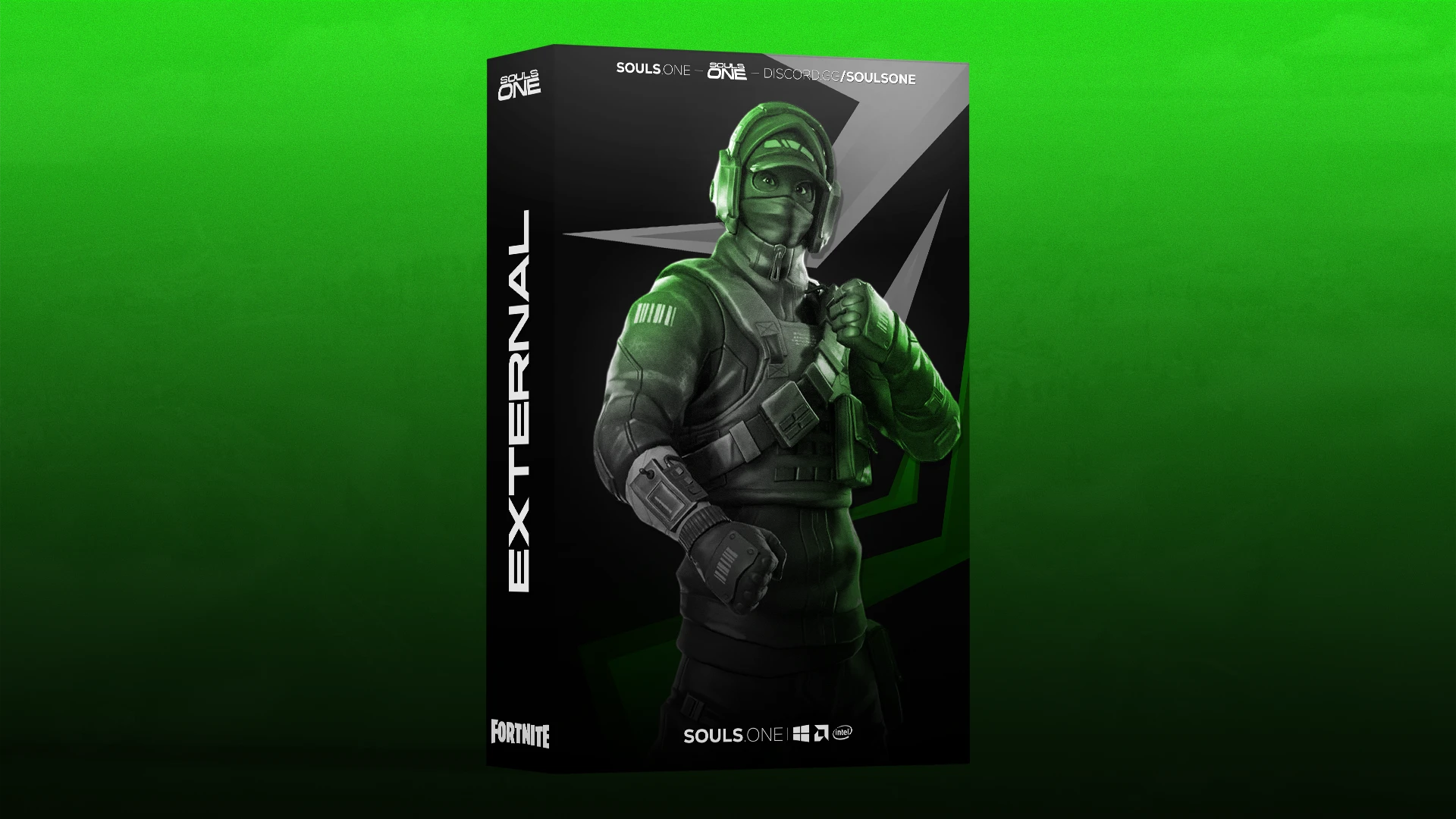
souls.one's refined undetected fortnite external cheat
click on the features tab to see everything !
A feature-rich Fortnite external designed around customizable aiming, player ESP, world awareness, movement utilities, and extensive configuration options. The interface provides granular control over targeting behavior, visual information, world elements, and additional gameplay utilities, allowing users to configure the experience to their preferred playstyle. Fortnite External
 Aimbot:
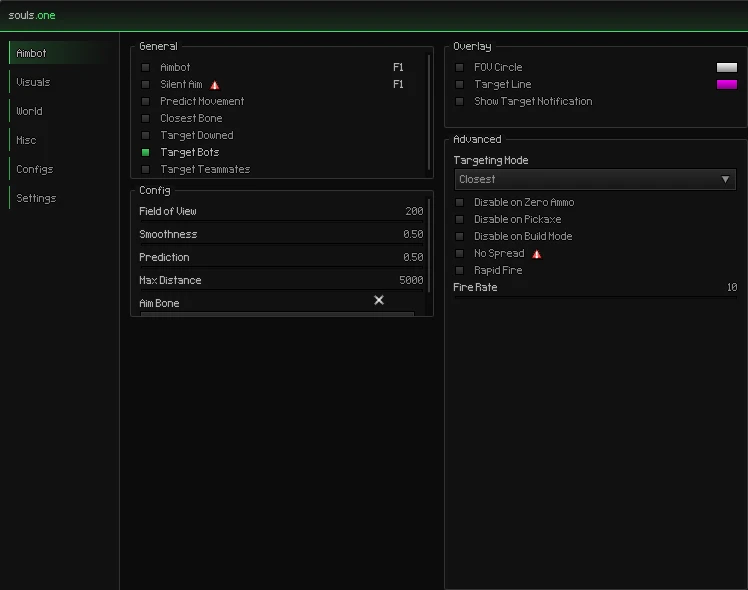
- Enable Aimbot — Activates the automated targeting system.
- Silent Aim — Provides an alternative targeting mode designed to minimize visible aim movement.
- Predict Movement — Accounts for player movement when calculating target positioning.
- Closest Bone — Automatically selects the closest available target bone.
- Target Downed — Allows downed players to be considered as targets.
- Target Bots — Allows AI-controlled players to be included as targets.
- Target Teammates — Allows teammates to be included in target selection.
- Adjustable FOV — Customize the targeting field of view.
- Smoothness — Controls how gradually the aim transitions toward a selected target.
- Prediction — Adjusts the amount of movement prediction applied to targets.
- Max Distance — Sets the maximum distance at which targets can be considered.
- Aim Bone — Selects the preferred body area used for targeting.
- Targeting Mode — Choose how targets are prioritized, including the displayed Closest mode.
- Disable on Zero Ammo — Prevents targeting when the weapon has no ammunition.
- Disable on Pickaxe — Prevents targeting while using a pickaxe.
- Disable on Build Mode — Prevents targeting while building.
- No Spread — Provides a spread-related aiming option.
- Rapid Fire — Provides a rapid-fire option with an adjustable fire-rate value.
- FOV Circle — Displays the configured targeting field of view on screen.
- Target Line — Displays a line toward the current target.
- Target Notification — Shows a notification when a target is selected.
 Player Visuals / ESP:
 World ESP:
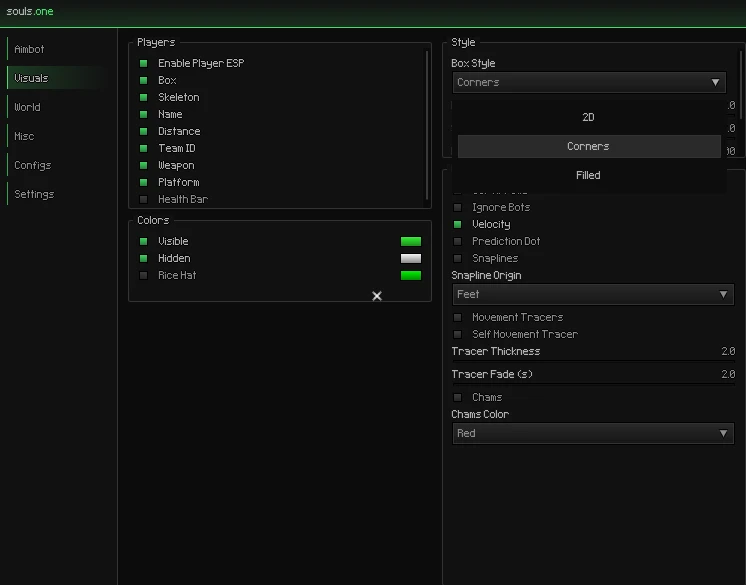
- Enable Player ESP — Activates player information overlays.
- Box — Displays a customizable box around players.
- Skeleton — Displays player skeleton information.
- Name — Displays player names.
- Distance — Displays the distance to players.
- Team ID — Displays team identification information.
- Weapon — Displays the player's current weapon.
- Platform — Displays the player's platform information.
- Health ESP — Provides an option for displaying player health information.
- Visible / Hidden Colors — Customize colors based on player visibility.
- Box Style — Choose the displayed box style, including Corners and filled-style options.
- Ignore Bots — Provides an option to exclude bots from visual overlays.
- Velocity — Displays player movement velocity information.
- Prediction Dot — Displays a predicted position indicator.
- Snaplines — Draws lines between the screen and players.
- Spline Origin — Controls the starting point of spline-based tracers, with Feet shown in the configuration.
- Movement Tracers — Displays movement-related tracer information.
- Self Movement Tracer — Displays a tracer for your own movement.
- Tracer Thickness — Controls tracer line thickness.
- Tracer Fade — Controls how quickly tracer effects fade.
- Chams — Provides an additional player highlighting option.
- Chams Color — Allows the chams color to be selected.
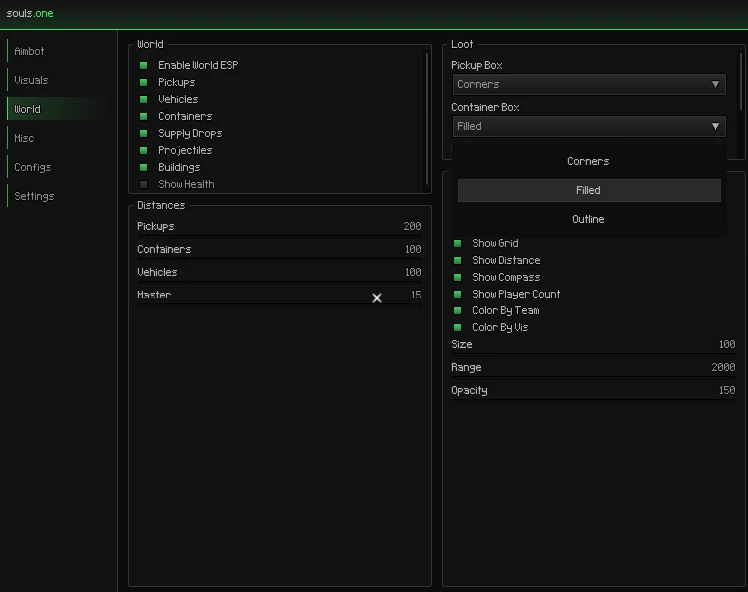
- Enable World ESP — Activates world-object visualization.
- Pickups — Displays relevant pickup objects around the map.
- Vehicles — Displays vehicles.
- Containers — Displays containers.
- Supply Drops — Displays supply drops.
- Projectiles — Displays projectile information.
- Buildings — Displays building-related information.
- Show Health — Provides an option to display health information for supported world elements.
- Pickup Distance — Controls the maximum pickup visualization distance.
- Container Distance — Controls container visualization distance.
- Vehicle Distance — Controls vehicle visualization distance.
- Master Distance — Provides an overall distance control.
- Pickup Box — Customizes the box appearance used for pickups.
- Container Box — Customizes the box appearance used for containers.
- Show Grid — Displays a world grid.
- Show Distance — Displays distance information for world objects.
- Show Compass — Displays compass information.
- Show Player Count — Displays the current player count.
- Color By Team — Uses team information when determining displayed colors.
- Color By Player — Provides player-based color customization.
- Size — Controls the displayed world ESP size.
- Range — Controls the overall ESP visualization range.
- Opacity — Controls the transparency of world ESP elements.
 Misc / Exploits:
 Combat & Movement:
 Configs:
 Settings & Interface:
 Compatibility:
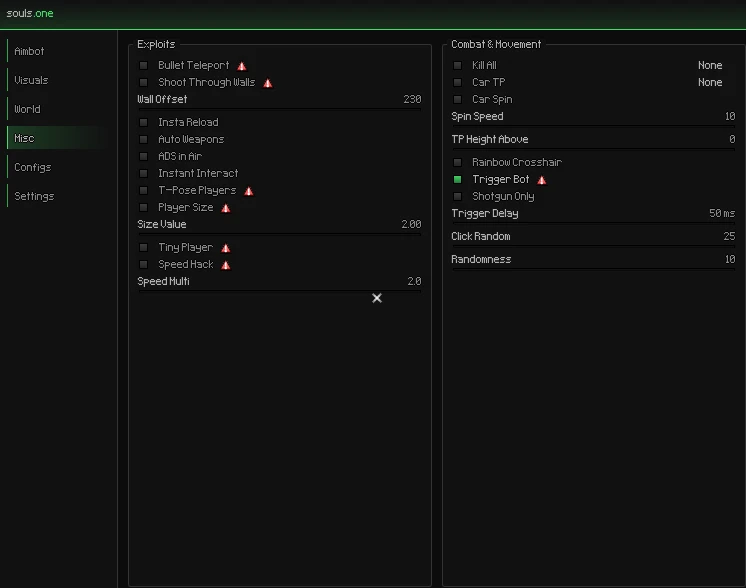
- Bullet Teleport — Provides a bullet teleport utility.
- Shoot Through Walls — Provides a wall-related projectile option.
- Wall Offset — Controls the configured wall offset value.
- Instant Reload — Provides an instant reload option.
- Auto Weapons — Provides automatic weapon functionality.
- ADS in Air — Allows aiming-down-sights while airborne.
- Instant Interact — Provides faster interaction behavior.
- T-Pose Players — Provides a player pose utility.
- Player Size — Allows player-size adjustments.
- Size Value — Controls the configured player-size value.
- Tiny Player — Provides an alternative reduced player-size option.
- Speed Hack — Provides a movement-speed utility.
- Speed Multiplier — Controls the configured speed multiplier.
- Kill All — Provides a combat utility affecting multiple targets.
- Car TP — Provides a vehicle teleport utility.
- Car Spin — Provides a vehicle spinning utility.
- Spin Speed — Controls the vehicle spin speed.
- TP Height Above — Controls the vertical offset used by teleport functionality.
- Rainbow Crosshair — Provides a customizable rainbow-style crosshair.
- Trigger Bot — Automatically reacts when the configured trigger conditions are met.
- Shotgun Only — Restricts Trigger Bot functionality to shotguns.
- Trigger Delay — Controls the delay before Trigger Bot activation.
- Click Random — Adds configurable click variation.
- Randomness — Controls the amount of randomized behavior.
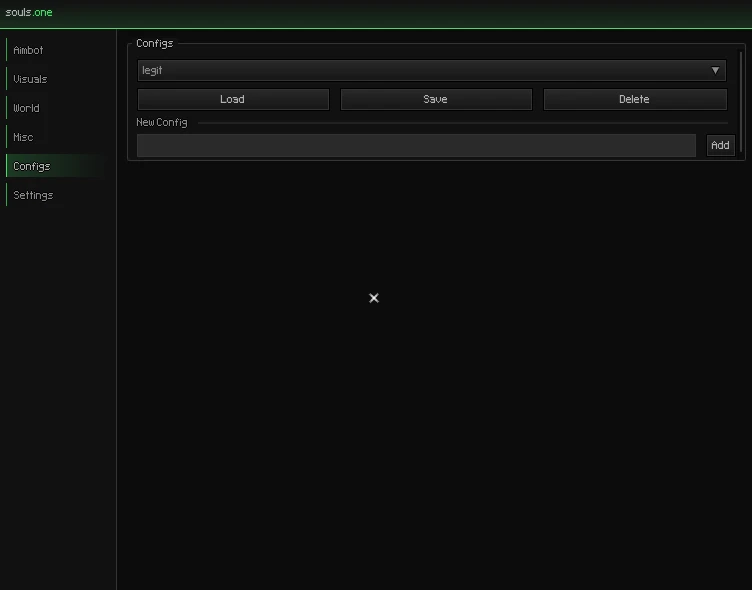
- Config Profiles — Manage different saved configurations.
- Load — Load a previously saved configuration.
- Save — Save the current settings to a configuration.
- Delete — Delete an existing configuration.
- New Config — Create a new configuration profile.
- Add — Add the newly created configuration.
- Preset Support — The interface shown includes a Legit configuration preset.
- Spectator List — Displays spectator information.
- Keybind List — Displays configured keybinds.
- VSync — Provides a vertical synchronization option.
- Crosshair — Enables the customizable crosshair.
- Dot — Adds a central crosshair dot.
- Dynamic — Provides a dynamic crosshair option.
- Crosshair Length — Controls crosshair length.
- Crosshair Gap — Controls the spacing around the center.
- Crosshair Thickness — Controls crosshair line thickness.
- FOV Changer — Provides an adjustable field-of-view option.
- FOV Zoom — Provides a zoom FOV option.
- Game FOV — Displays/configures the game FOV value.
- Zoom FOV — Controls the configured zoom field of view.
- FPS Cap — Provides an FPS limit option.
- Font Selection — Choose between Default, Pixel, and Cascadia.
- Windows PC
- Designed around a customizable external interface
- Multiple configuration profiles
- Extensive visual and gameplay customization
Sep 23, 2026
Automatic feedback after 7 days.
Verified
Sep 04, 2026
Automatic feedback after 7 days.
Verified
Sep 01, 2026
Automatic feedback after 7 days.
Verified
Aug 28, 2026
Automatic feedback after 7 days.
Verified
Fortnite External V2
Log in to Your Customer Account Check your inbox Enter your password Two-Factor Authentication
We'll email you a one-time code, no password needed. Enter the 6-digit code sent to . Enter the password for . Enter the 6-digit code from your authenticator app, or an 8-character recovery code.
Products
Rust External V2
NFA ACCOUNTS ( many games )
Fortnite External V2
Rust Private External (invite only)
No matches here. Press Enter to search everything.
↑↓ navigate
↵ open
esc close